Board Material Studio
Two board photos in, a whole interior out
A panel factory selling on WeChat and Xiaohongshu has to show its boards installed — TV wall, wardrobe, sideboard, kitchen island. Traditionally that means a photo shoot: a photographer, a staged room, retouching. A few thousand yuan and one to three days per round. Change the finish and the whole round starts over.
This tool compresses that round into minutes: drop in two flat photos of the boards, type a code and a name, get a nine-scene grid plus camera-move videos.
Pairing, not texture mapping
The hard part isn’t pasting wood grain onto a wall. It’s the pairing. A panel factory doesn’t sell one board, it sells a scheme — what goes on the carcass, what goes on the doors, what tops it off.
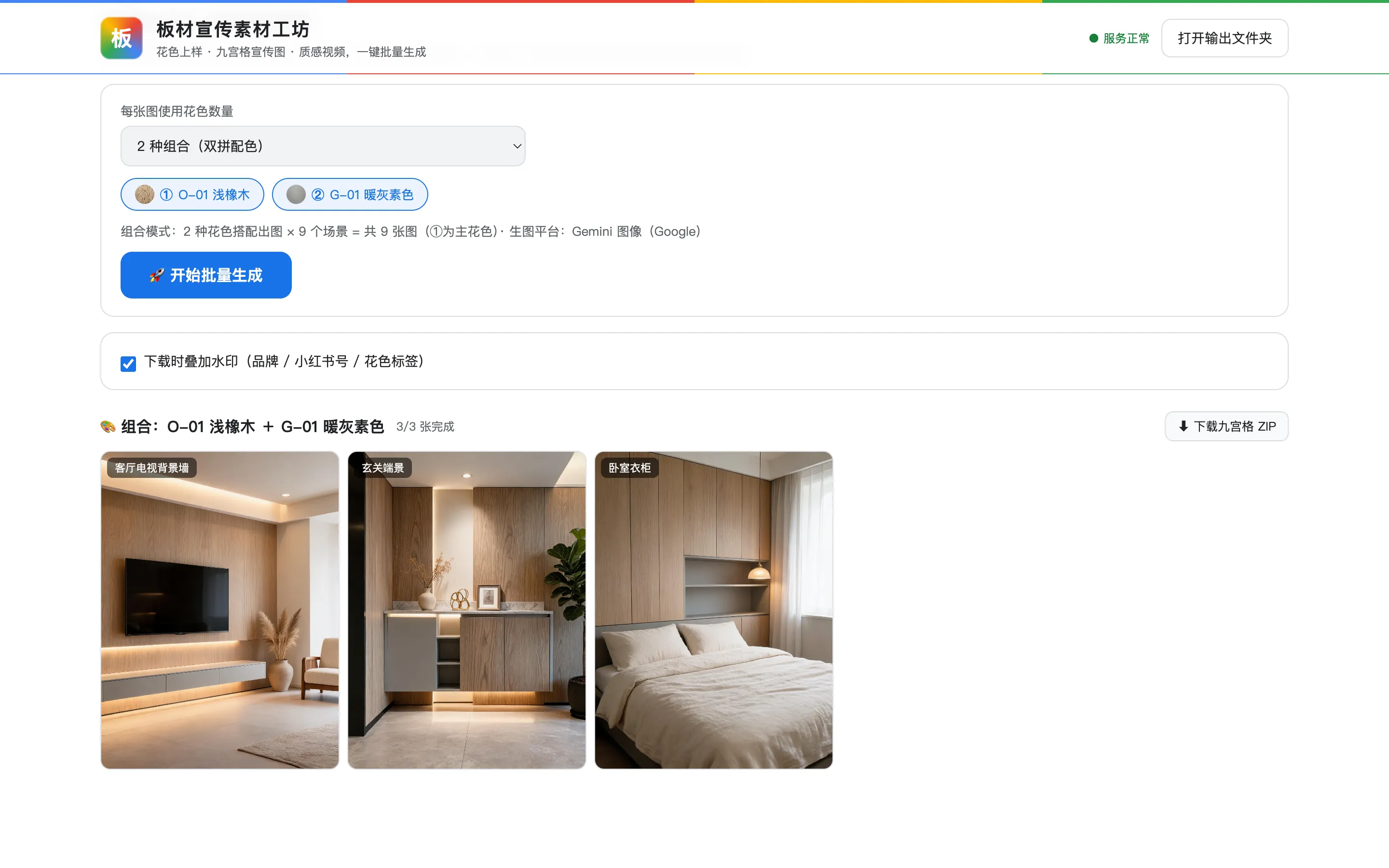
So each image can use two to four finishes: the first one selected is the primary, covering the large carcass and wall panels, and the rest become accent and trim. That pairing instruction lives in the prompt, where the user can rewrite it.
The reference-image cap comes straight from each model’s own limit: Seedream takes up to 14, Qwen takes 3, Kolors supports only a single finish — so combination mode greys out under Kolors rather than quietly degrading to one board.
Nine scenes, every prompt exposed
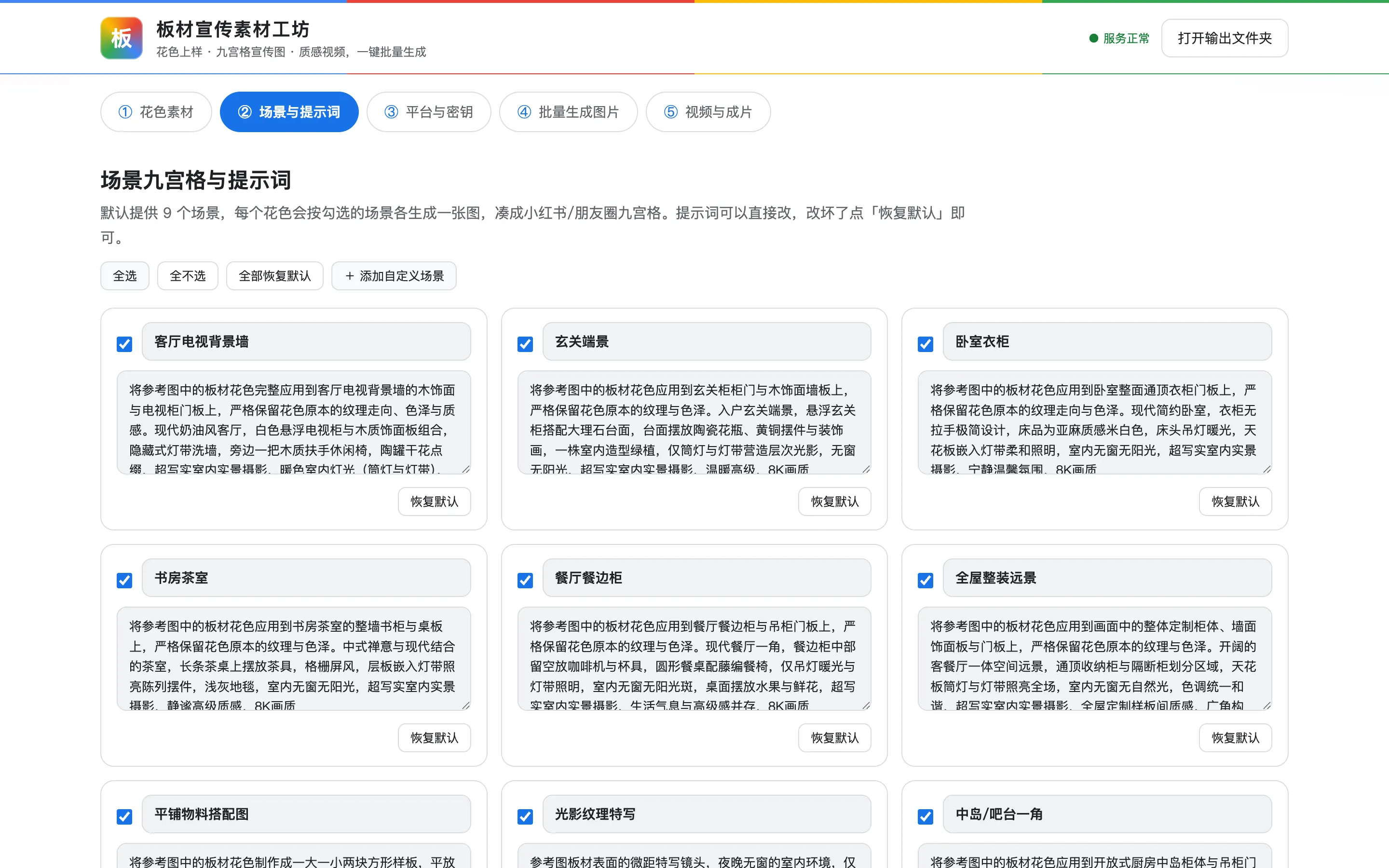
Nine by default: TV wall, entryway, bedroom wardrobe, study and tea room, dining sideboard, whole-home wide shot, flat-lay material, lighting and grain close-up, and kitchen island.
Every prompt sits on the page, editable in place, with a “restore default” next to it. Nothing is hidden. The factory owner knows the look they want better than I do, so rather than guess, hand them the knob.
The video half
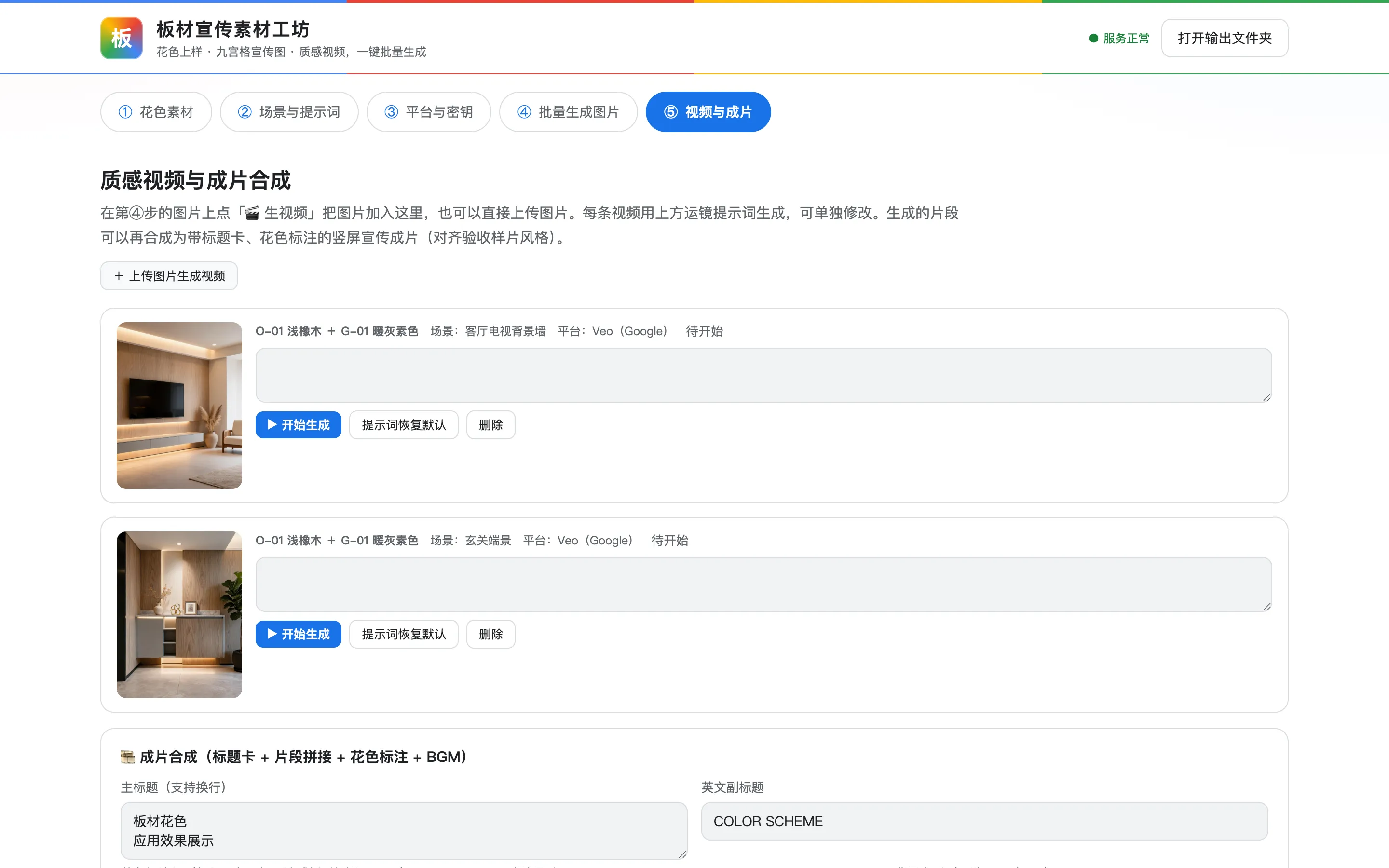
Image to video, with one of three camera moves: a slow push, an orbit, or light sweeping across the grain. Those are the only shots panel material needs — wood grain earns its price the moment light hits it.
Finished clips can be composed into a vertical cut with a title card, finish labels, and a music bed, ready to post. That step runs on local ffmpeg and costs nothing.
Keys never touch my machine
Eleven providers are wired up for images and video: Seedream, Qwen, Kolors, Wan, MiniMax and Vidu domestically, Gemini, GPT-Image, Veo and Sora abroad.
The API key lives in the user’s own browser localStorage. Requests are forwarded by the local Node server straight to the provider, never through a third-party server, and the bill lands on whoever pasted the key.
I didn’t want to front the API spend for a client, and I didn’t want to be responsible for someone else’s key. For a tool delivered to a single factory, hosting it would buy three problems and solve none.
How it ships
Double-click 启动.command and the browser opens localhost:3888. There’s a Mac bundle and a Windows bundle — the client installs no Node and never touches a terminal.
A demo mode runs the whole flow without spending any API credit, so they can learn it before pasting a real key.
- Launched
- 2026
- My role
- Solo developer · client delivery
- Built with
- Node.js原生 JSffmpegSeedreamGemini