FocusFlow
Screen recording for Mac, focused on what matters
Built-in screen recording captures what happened. It doesn’t capture where to look. Demo a button and your viewers get a whole 5K display, with the button occupying a few dozen pixels of it.
FocusFlow inverts that. While recording you just work — the camera is handled for you: it pushes in where you click and type, holds, then pulls back. Every move stays editable afterwards.
Recording
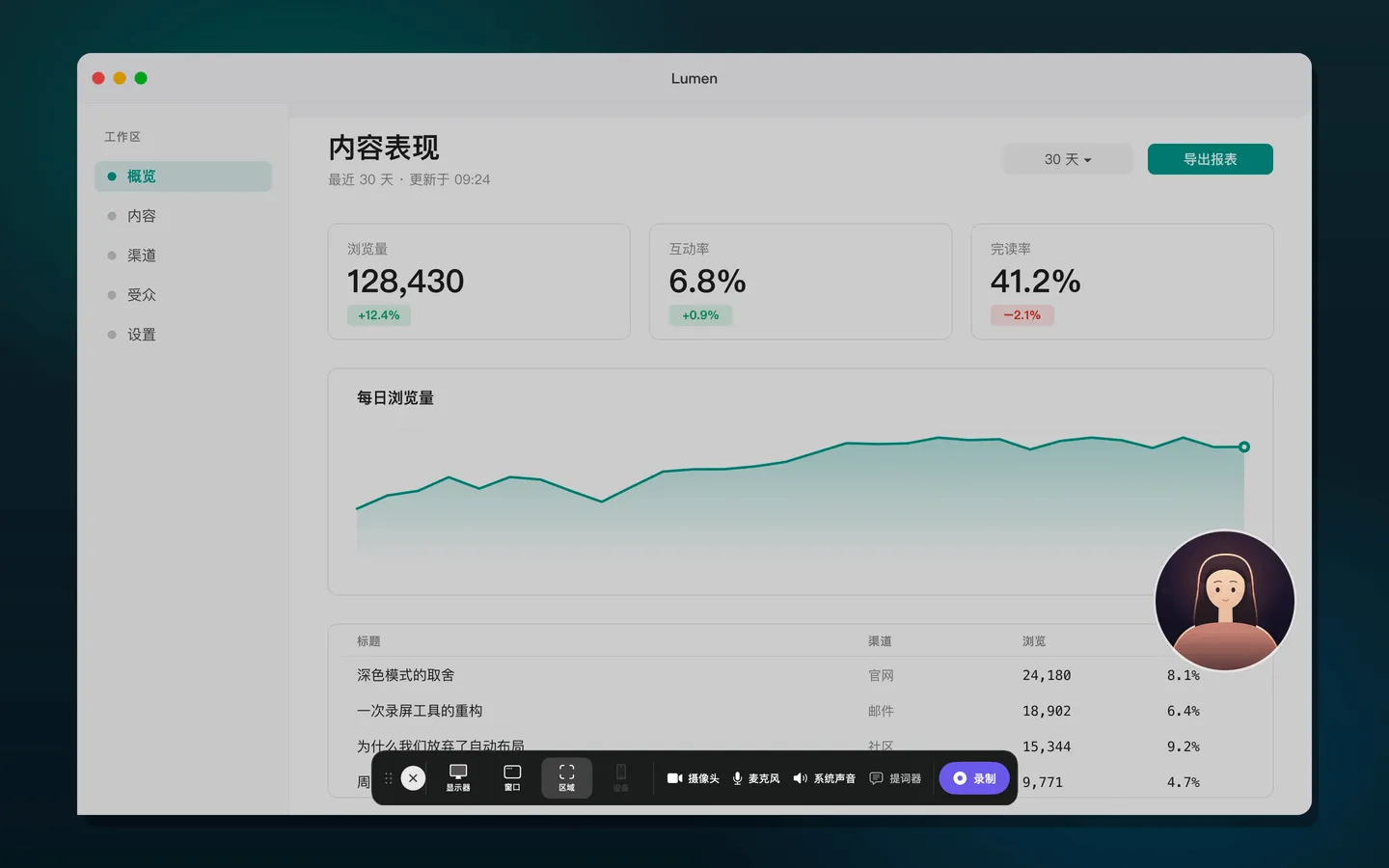
- Three scopes: a whole display, a single window, or a custom region. Picking a window is hover-to-highlight and click — no popup list covering the thing you’re about to record. Regions can lock to an aspect ratio and be repositioned at any time.
- The recorder stays out of the shot. Harder than it sounds: the control bar, the region selector and the camera bubble are all our own windows, so they have to be excluded at the system capture layer rather than hidden right before the recording starts.
- Teleprompter overlay: translucent, draggable, auto-scrolls at an adjustable speed — and is likewise never captured.
- Camera picture-in-picture: circle, rounded or square, with size, mirroring and position all adjustable — draggable both while recording and in the editor.
Editing
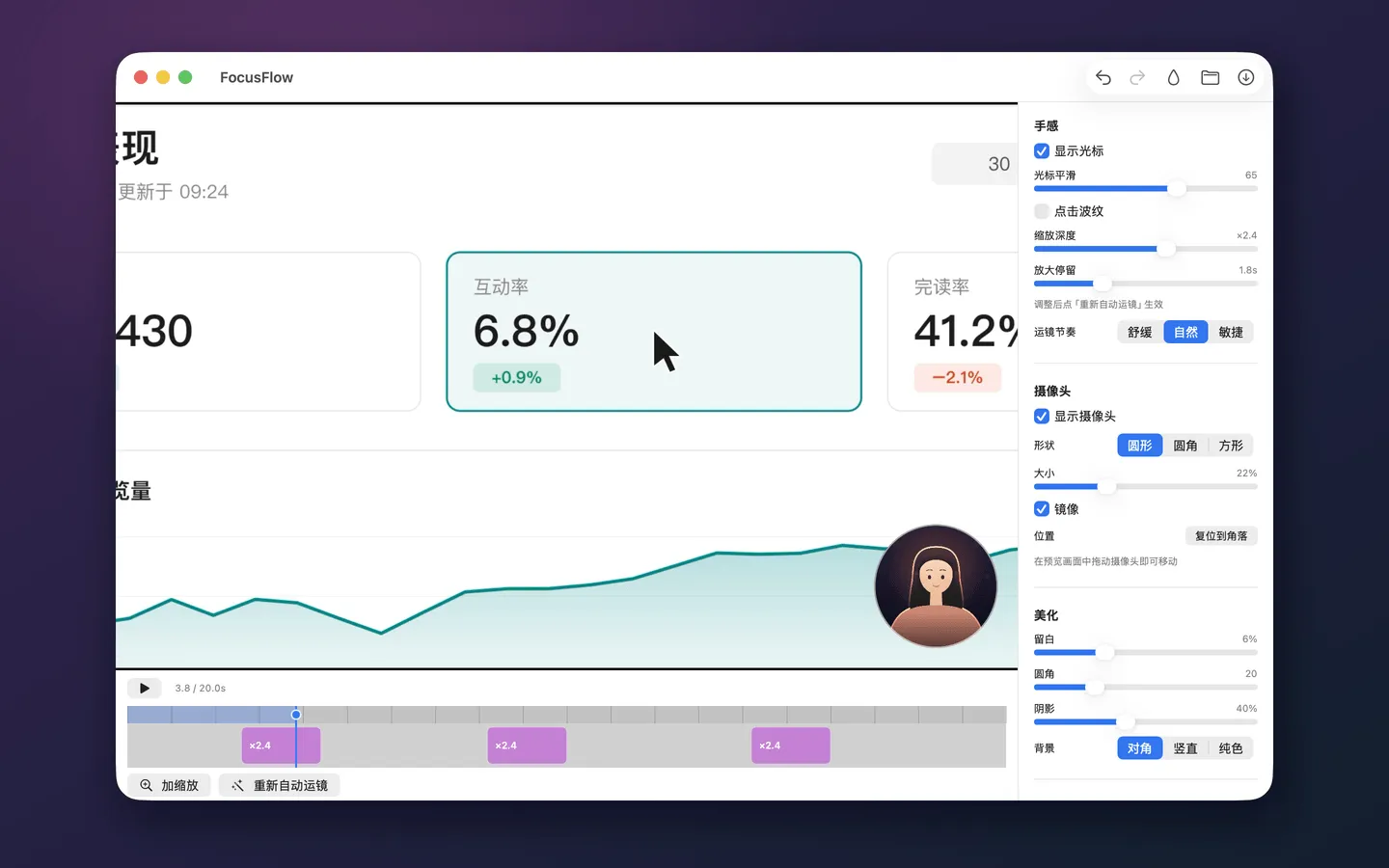
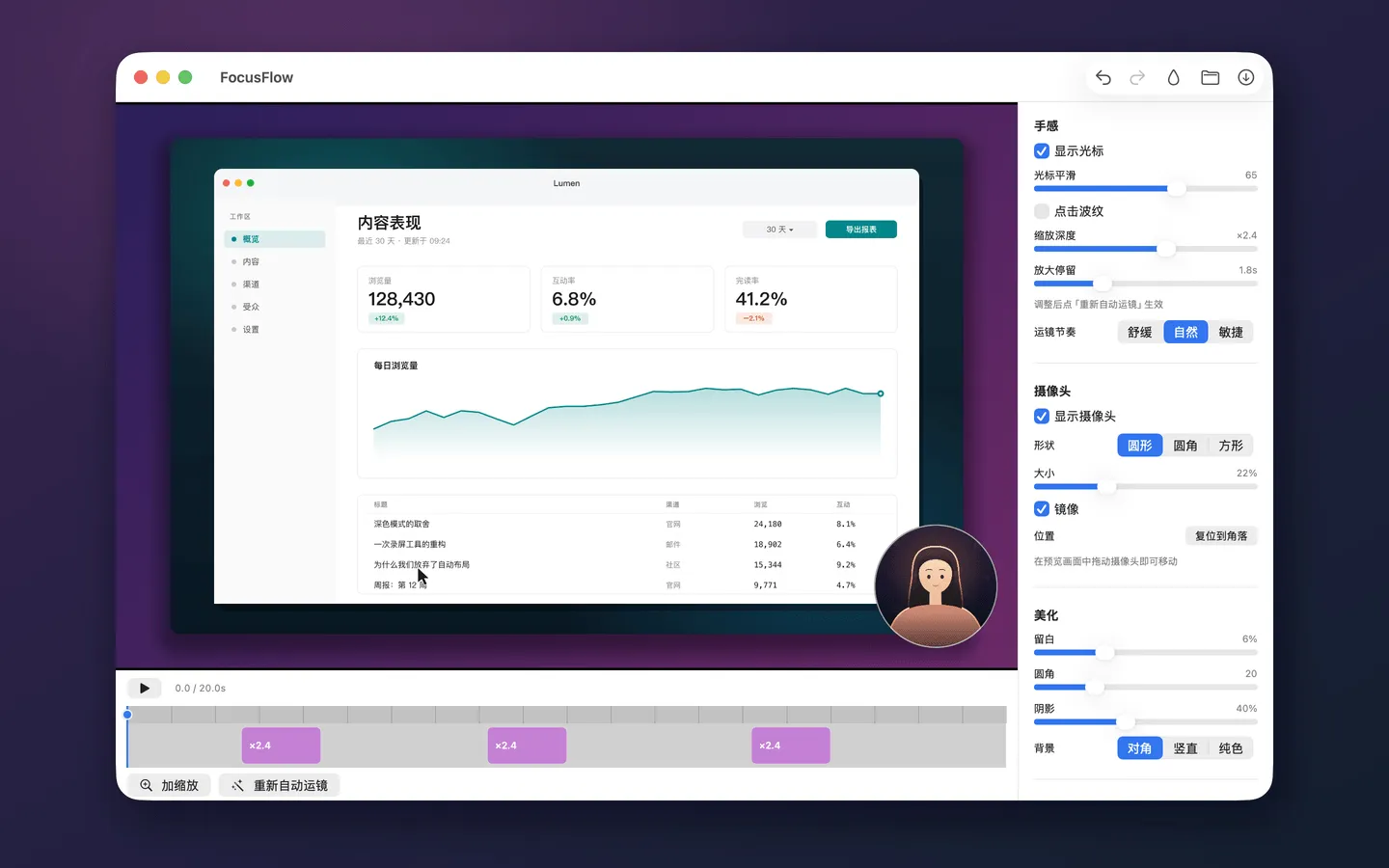
- Automatic camera moves, synthesised from where you clicked and typed. Zoom depth, hold time and pacing are all tunable.
- Timeline: each zoom is a block you can drag, stretch, or add by clicking empty track. Full undo/redo.
- Presentation: padding, corner radius, shadow, and a diagonal, vertical or solid background.
- Cursor: smoothed motion and click ripples.
Export
MP4 (H.264), with microphone and system audio mixed automatically. Progress is shown throughout, export can be cancelled, and the window will not close until the file is genuinely written — a fix born from being caught out by the opposite: the toast disappears, and the video in the folder still won’t open.
Capture, compositing and export all happen on the machine. Nothing is uploaded.
Engineering
Native Swift and SwiftUI. ScreenCaptureKit handles 60fps capture, a hand-written Metal compositor renders the camera moves, cursor, webcam and presentation, and AVFoundation covers coding and audio mixing.
Preview and export run through the same render pipeline. WYSIWYG here isn’t two code paths kept in agreement by hand — it’s one set of pixels, produced identically by both, and pinned down by tests. The project file keeps the raw recording, the event stream and the edit parameters apart, so every edit is non-destructive and any decision can be taken back.
- Launched
- 2026
- My role
- Solo developer
- Built with
- SwiftScreenCaptureKitAVFoundation