
Twitter User Info
See who someone is, right there in your feed
While scrolling X, see who a person actually is right next to their tweet — bio, follower count, join date, and the notes and tags you wrote about them yourself.
X’s own hover card shows only the bio, and there’s no way to attach anything of your own to it. This extension fills that gap.
What it does
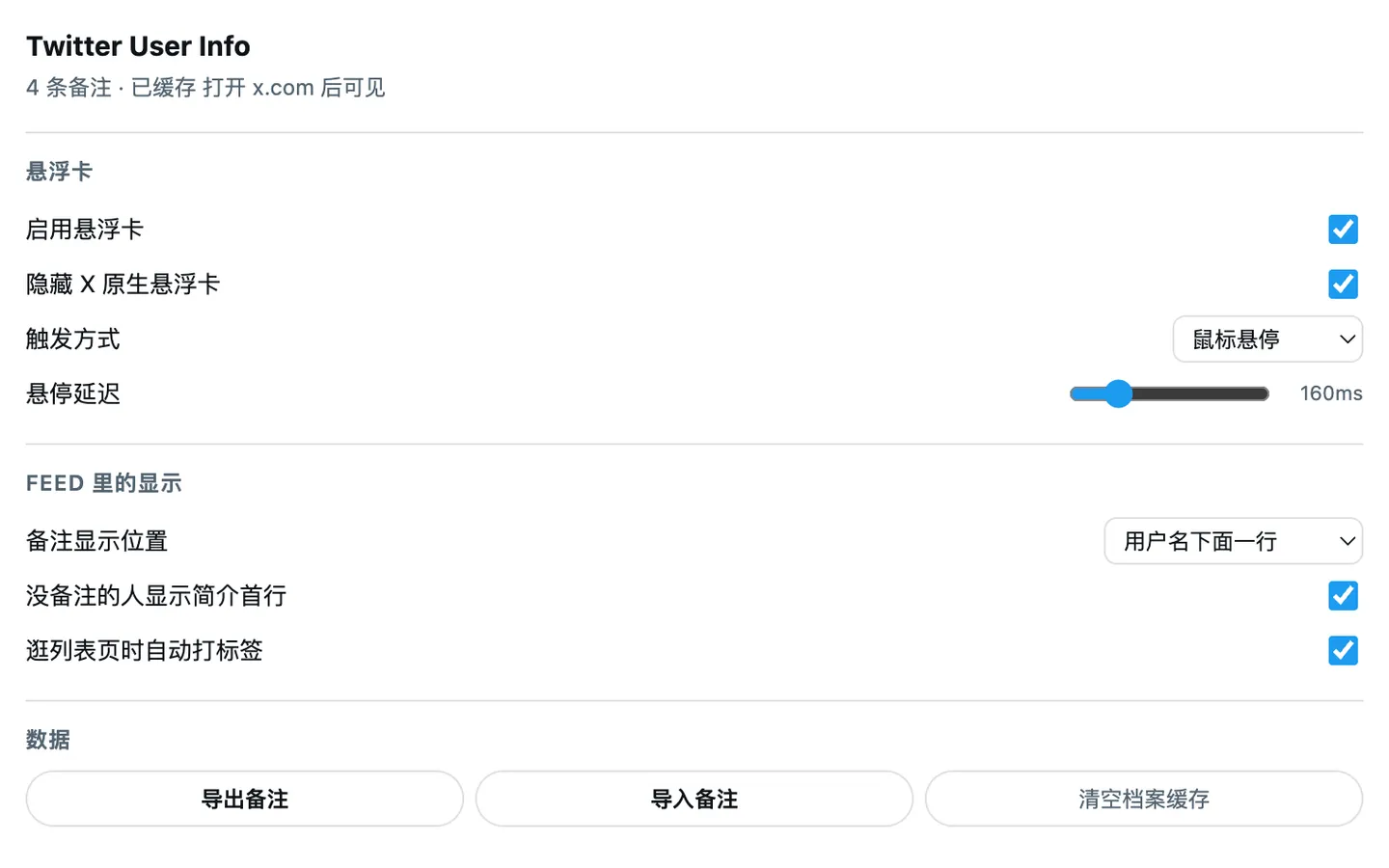
- Hover card: park the cursor on an avatar or username and a full profile appears. The delay is adjustable, and it can be switched to Alt-hold or click-only. By default it hides X’s native hover card — the content duplicates, and the two overlap each other.
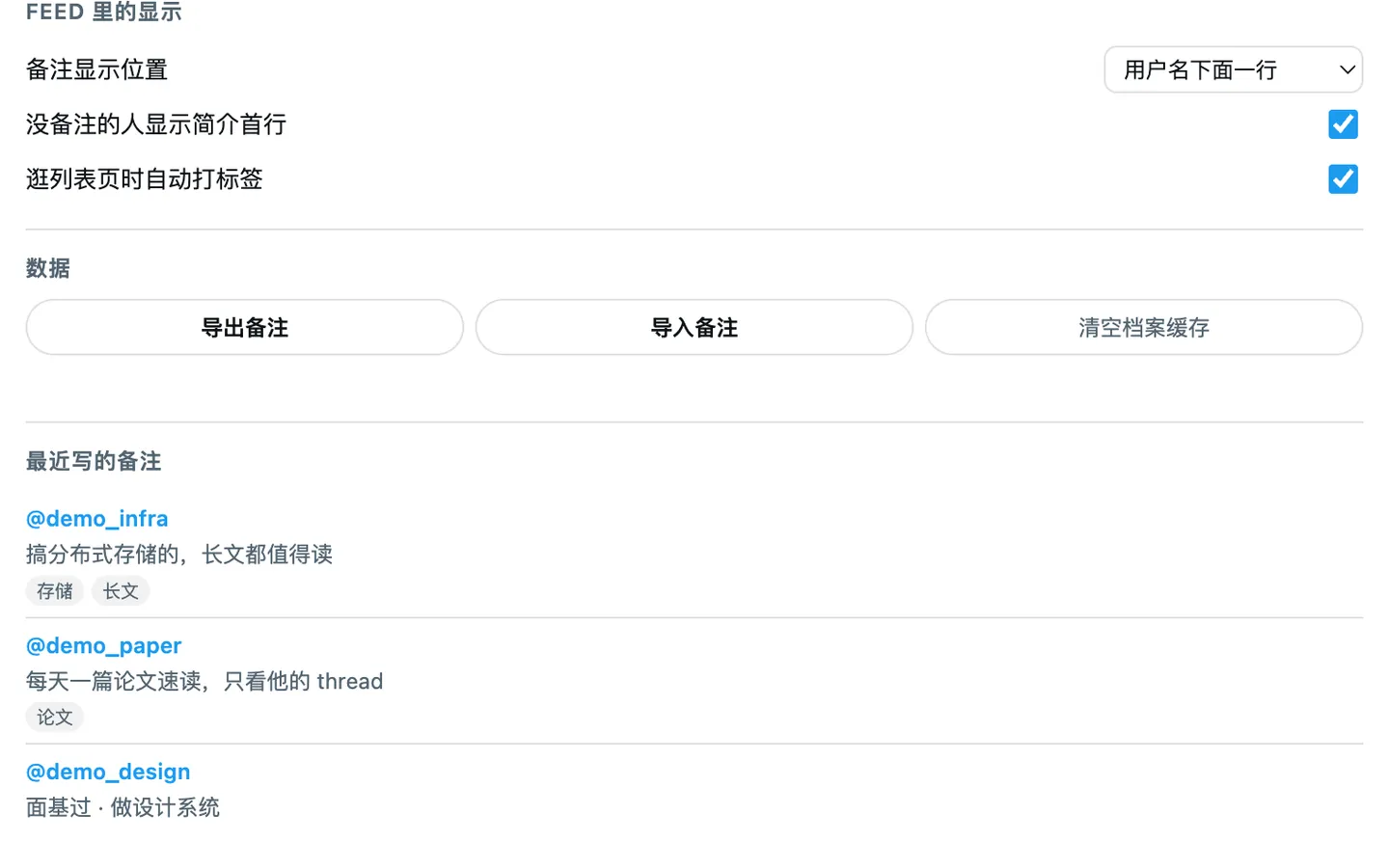
- Private notes: write a line about anyone (“works on RAG”, “met in person”, “only read their technical threads”) and it shows next to their name in the feed. The kind of personal alias WeChat has always had, finally on X.
- Tags: any number per person. Browsing your own list’s members page auto-tags everyone with the list’s name — turning X’s half-finished list feature into a usable tagging system.
- Export and import: notes and tags are purely local data; export to JSON with one click and load it back on another machine.
Everything stays on your machine. Nothing is sent to any server.
Where the data comes from
No extra requests at all. X loads its timeline through its own internal GraphQL endpoint, and the response JSON already carries each author’s complete profile — bio, follower count, join date, all of it. The extension simply captures data that has already arrived in your browser.
The alternatives don’t work. Calling X’s internal API yourself is rate-limited and risks tripping abuse detection at any real frequency. The official v2 API has a tiny free tier and absurd pricing above it. And scraping the DOM is a dead end: the feed’s DOM doesn’t contain bios at all.
Not disturbing other scripts on the page
This is the project’s hard constraint. The Twitter ecosystem is full of userscripts — media downloaders, auto-translators, timeline enhancers — that work exactly the way this extension does: hooking fetch and XHR to capture GraphQL responses. So it necessarily stacks on the same prototypes as they do, in an order nobody controls, and they also locate tweet elements by DOM structure. Any careless implementation makes someone else’s script break mysteriously — and the user will assume it’s this extension’s fault.
Hence:
- Not a single DOM node is added. Notes are drawn with a
data-tui-noteattribute plus a CSS::after; pseudo-elements never enter the DOM tree. - No event interception. There is no
preventDefaultorstopPropagationanywhere — hover detection doesn’t need to touch the event flow. - No
<head>pollution. Styles go through a Constructed Stylesheet (adoptedStyleSheets), never a<style>node, and<html>gets no class or attribute — toggles work by rewriting the stylesheet’s contents. - Nothing persistent. The hover card’s host mounts only while visible and is removed the moment it closes;
keydownandpointerdownare registered only while a card is open. - No broadcast messages. Cross-world communication uses namespaced
CustomEvents rather thanpostMessage, which every script listening formessagewould receive. - Transparent network hooks.
Reflect.applyforwards untouched,name/length/toString()are preserved, non-GraphQL requests see zero intervention, and URLs live in aWeakMaprather than on the instance.
Exactly two visible traces remain, both load-bearing: two data-tui-* attributes on X’s own elements, and the single Shadow DOM host that exists while hovering.
One hard rule for the icon
Flat fills only — no gradients, no shadows. The icon renders at 16px, where a gradient smears into a dirty block and a shadow becomes a grey fringe.
The stroke around the white card isn’t decoration, it’s necessary: the card is pure white and Chrome’s light toolbar is #F1F3F4, so without it the card’s edge disappears entirely and only a few colour blocks float there. The stroke is a flat fill, so it doesn’t break the rule.
Installing
It isn’t on the Chrome Web Store (which wants a $5 developer registration), so installation is “load unpacked”. Chrome also forbids installing .crx files from non-store sources, making that the only route.
To update, download the new build over the old folder and hit refresh. Your notes survive — the extension ID is pinned and has nothing to do with the folder path.
How it’s built
WXT and TypeScript, Chrome MV3, and it builds for Firefox too. Notes, tags and settings live in storage.local — small enough, directly readable from the popup, and pulled into memory once so feed rendering can look them up synchronously. Profile caching goes to IndexedDB.
- Launched
- 2026
- My role
- Solo developer
- Built with
- WXTTypeScriptChrome MV3IndexedDB